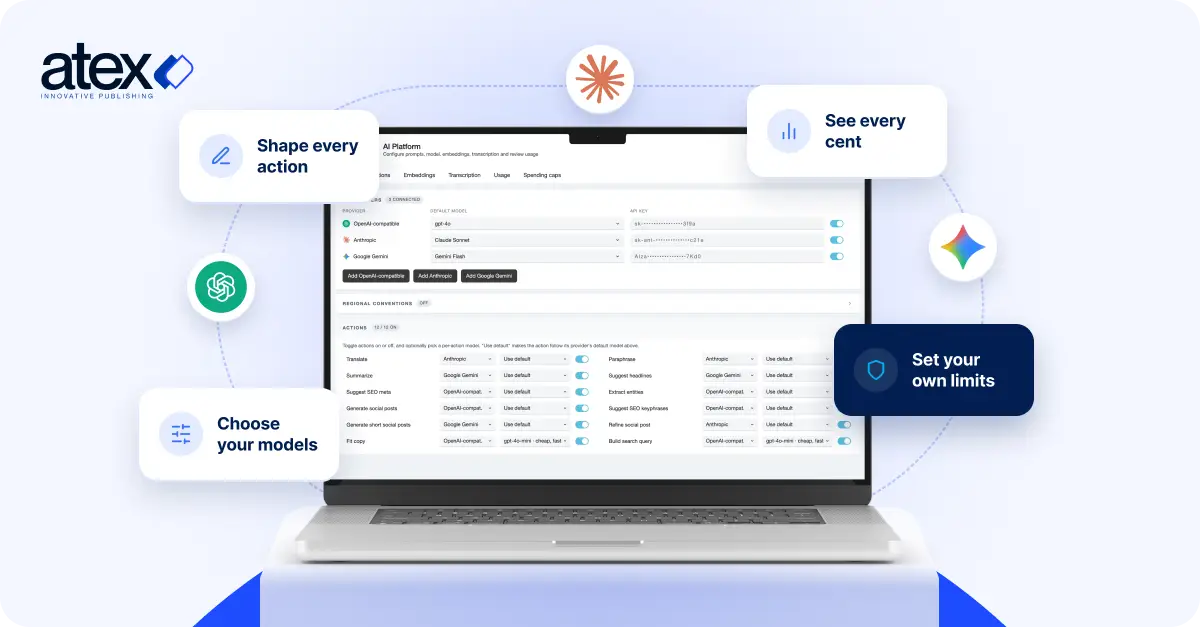
AI in the newsroom works best when the editors, not the vendor, decide how it behaves and what it costs. Here is how our AI Platform puts those decisions in your hands (but with our support).
Most newsrooms have moved past the question of whether to use AI. Translations, headlines, SEO metadata and social copy are now drafted with AI support every day. The harder questions come next: which model is doing the work, what is it being told to do, and how much is it costing us?
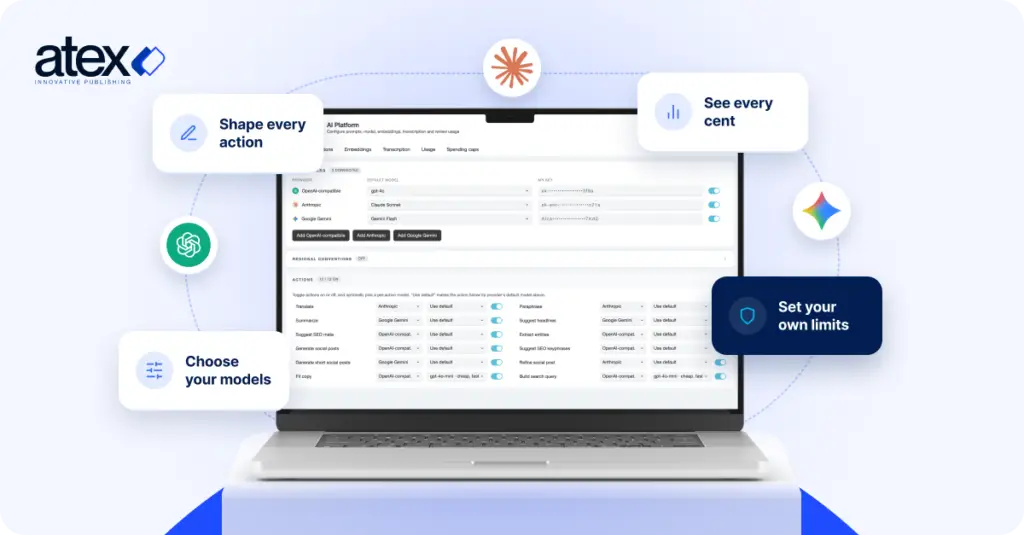
Too often the answer is “we don’t really know“. The prompts are hidden, the model is fixed, and the bill arrives at the end of the month. The Atex AI Platform was built to change that. It is the control room behind every AI action in the editorial workflow, and it rests on four ideas: choose your models, shape every action, see every cent, and set your own limits.
1. Choose your models
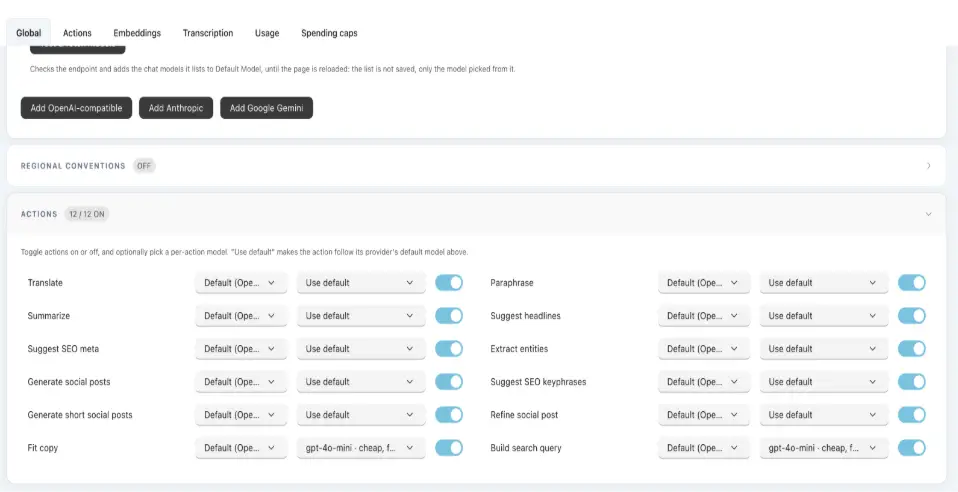
The AI landscape changes every few months, and no publisher should be locked into one provider. In the Global tab, administrators users can connect the providers they want: any OpenAI-compatible endpoint, Anthropic or Google Gemini. A quick check lists the models each endpoint offers, and you pick a default model per provider.
The real flexibility sits one level down. Every AI action can run on its own provider and model. Heavy editorial tasks such as translation or paraphrasing can use a top-tier model, while high-volume, simple tasks can use a lighter one.
Each of the twelve actions (nb. These are the actions available in our demo environment right now, but we’ll add more and more) can also be switched on or off with a single toggle, so you only expose to your journalists the tools your newsroom actually wants.
2. Shape every action
A generic AI tool writes like a generic AI tool. Your newsroom has its own voice, style guide and standards, and the AI should follow them.
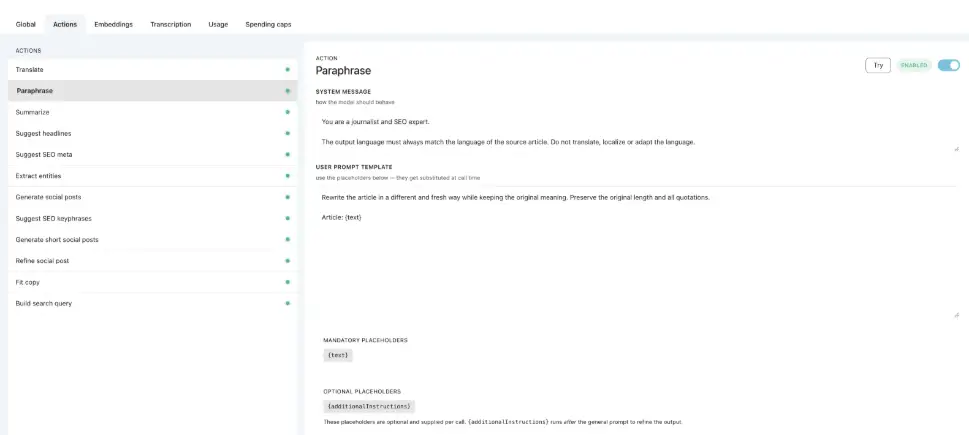
In the Actions tab, every action is open for editing. For each one you can see and change:
- The system message: how the model should behave. For Paraphrase, it acts as “a journalist and SEO expert” and must always answer in the language of the source article.
- The user prompt template: the actual instruction, with placeholders filled in at call time. {text} carries the article; the optional {additionalInstructions} lets a journalist refine the output for a single request.
A Try button lets you test a change before it reaches the newsroom. No developer, no ticket, no waiting for the next release.
3. See every cent
AI costs should never be a surprise. The Usage tab shows exactly where the money goes, filterable by date range, user or group, in USD or EUR.
At a glance you see total calls, total spend, prompt and completion tokens, and average response time. Below, four charts break it down: spend per day stacked by action, cost by model, number of calls by action and cost by action.
Want to see which team uses translation the most, or whether a new model changed your bill? It is all there, and a Download CSV button exports the data for finance.
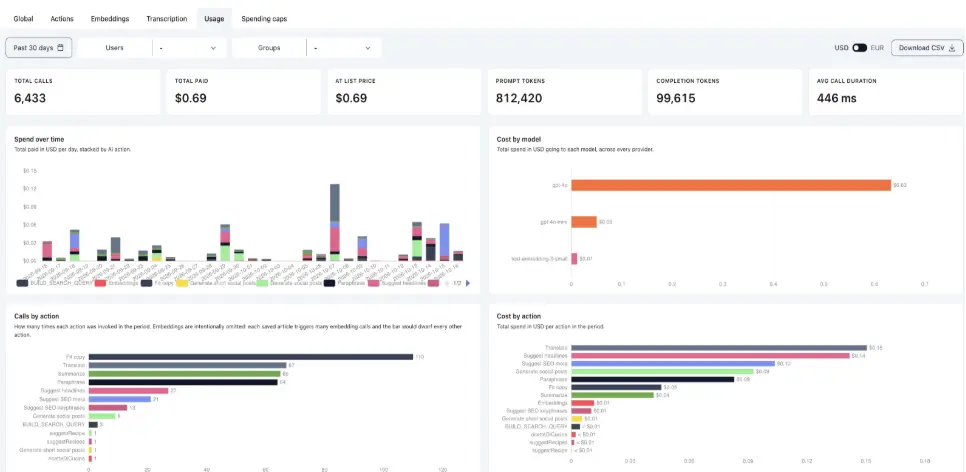
Usage figures shown are from a test environment.
4. Set your own limits
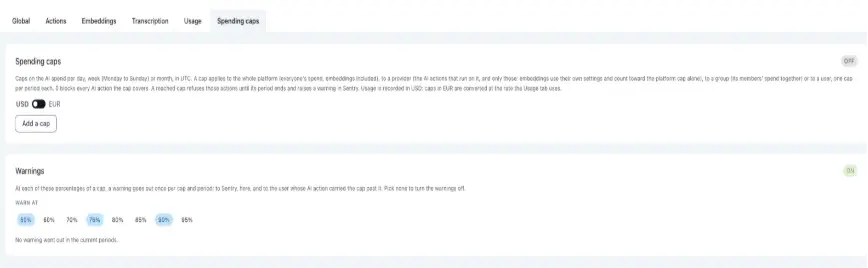
Visibility is good; control is better. The Spending caps tab lets you set a budget per day, per week or per month, at whatever level makes sense for your organisation:
- The whole platform: everyone’s spend combined, embeddings included
- A provider: only the AI actions running on that provider
- A group: a desk or team’s spend together
- A single user
When a cap is reached, the actions it covers pause until the period ends, so a runaway script or an unusual spike can never blow the budget. Setting a cap to 0 blocks those actions entirely.
You don’t have to wait for the limit to find out. Warnings go out at the thresholds you choose, for example at 50%, 75% and 90% of a cap. They reach the administrators, the platform itself and the user whose action crossed the line.
AI that works for your newsroom, on your terms
The AI Platform turns AI from a black box into a tool your newsroom governs. You choose the models, you write the rules, you see the costs and you set the limits. Your journalists get fast, reliable help with the repetitive work, and your editors keep the final say on quality and budget.
Want to see it in action? Book a demo and we’ll walk you through the AI Platform live, with your own workflows in mind.